


This is an older article. Microsoft changes screens often; for current step-by-step tutorials see all guides.
You can not delete an Instagram from the application. To delete Instagram account you have to log in on the web version of Instagram.
Check below to see 'how to delete Instagram account?'
Delete Instagram account:
- Log in to your Instagram account on the web (you can log in on a mobile web browser or on a computer web browser).
- Go to this link: https://www.instagram.com/accounts/remove/request/permanent/
- You will be on the Delete Account page.
Select a reason to delete the account.
Enter your Instagram password.
Click on Permanently delete my account.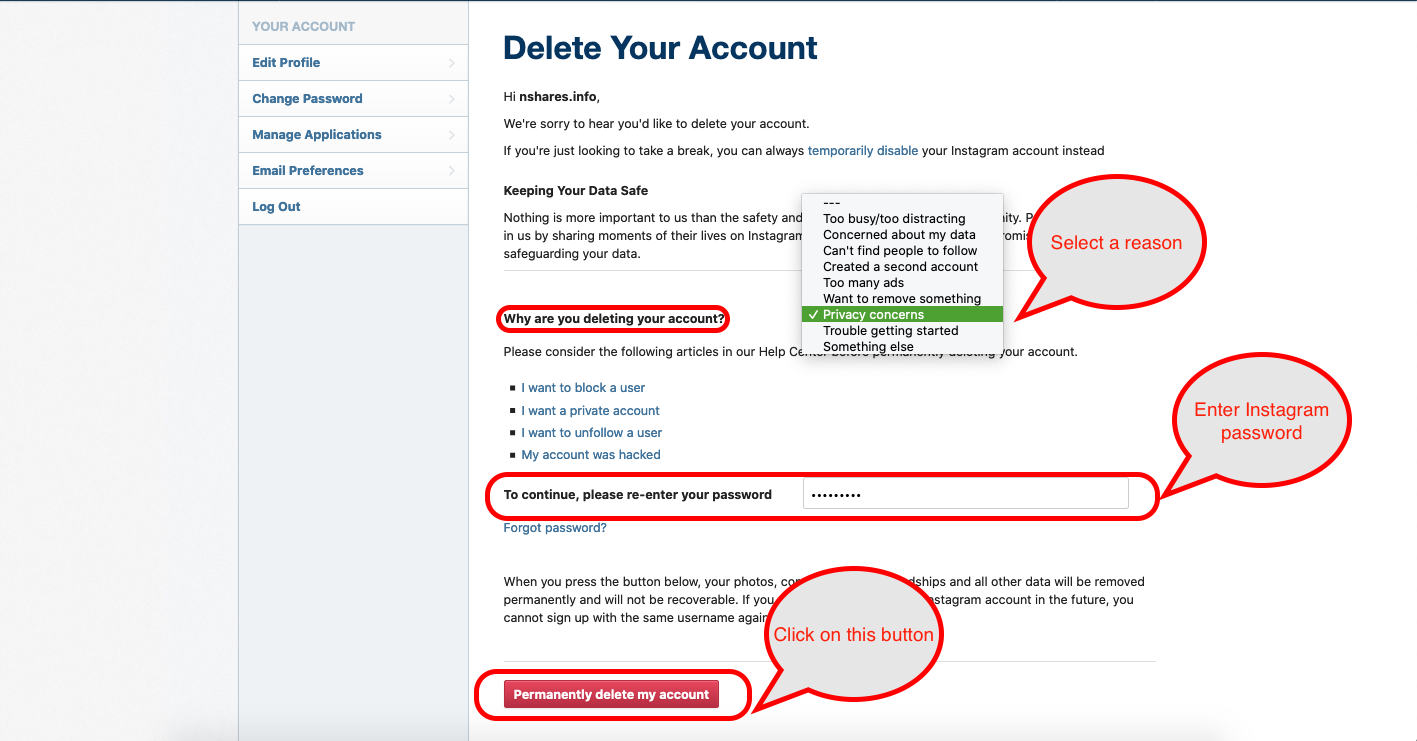
- Your Instagram account is now deleted.
SEE ALSO:
Newer, step-by-step tutorials:
Browse all guides

