All Outlook guides
 3:51
3:51
Outlook
How to mail merge in Outlook using Word and an Excel list
 3:37
3:37
Outlook
How to set up out of office automatic replies in Outlook
 5:12
5:12
Outlook
How to send a mail merge with cc, bcc and attachments from Word and Outlook
 3:57
3:57
Outlook
How to mail merge with attachments in classic Outlook using a free script
 3:27
3:27
Outlook
How to download all attachments from Outlook emails at once
 8:58
8:58
Outlook
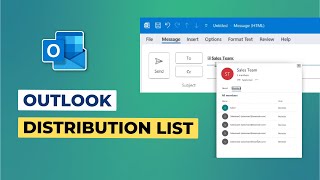
How to create a distribution list (contact group) in Outlook
 5:28
5:28
Outlook
How to use the same Outlook email signature on desktop, mobile and web
 3:24
3:24
Outlook
How to add a clickable HTML email signature to Outlook desktop
 0:42
0:42
Outlook
How to stop Outlook from deleting meeting invite emails after you respond
 5:06
5:06
Outlook
How to add your webmail or company email to Outlook with IMAP (desktop and mobile)
 1:48
1:48
Outlook
How to attach an email to another email in Outlook (desktop and web)
 3:12
3:12
Outlook
How to get read receipts and track emails in Outlook
 4:49
4:49
Outlook
How to delegate your Outlook calendar and mailbox to someone else
 7:00
7:00
Outlook
How to manage tasks in Outlook: recurring tasks, assigning, email tasks and OneNote
 1:43
1:43
Outlook
How to embed a PDF in the Outlook email body
 2:27
2:27
Outlook
How to change the default font in Outlook (new, classic and web)
 3:45
3:45
Outlook
How to add a clickable email signature to the Outlook mobile app on iPhone and Android
 6:33
6:33
Outlook
How to export Outlook contacts to Gmail and iCloud (CSV and vCard)
 3:41
3:41
Outlook
How to use Quick Parts in Outlook (and My Templates in new Outlook)
 3:56
3:56
Outlook
How to recall or replace a sent email in Outlook
 4:32
4:32
Outlook
How to set up a Combined Inbox in classic Outlook for Windows
 8:47
8:47
Outlook
How to create rules in Outlook: 4 ways to filter your email
 12:16
12:16
Outlook
How to sync your Outlook email signature across all devices with CodeTwo
 6:53
6:53
Outlook
How to create email templates and canned responses in Outlook
 2:03
2:03
Outlook
Where Outlook signatures are saved in Windows (and how to back them up)
 4:31
4:31
Outlook
How to auto-forward emails in Outlook: 3 methods for different needs
 2:32
2:32
Outlook
How to set the default Outlook account for new emails and mail merge
 0:50
0:50
Outlook
How to turn off reminders for past calendar events in Outlook
 2:22
2:22
Outlook
How to mail merge in new Outlook: what works and what does not
 1:37
1:37
Outlook
How to schedule an email in Outlook with delay delivery
 3:58
3:58
Outlook
How to get email templates and quick replies in Outlook with Text Lightning
 7:26
7:26
Outlook
How to create a group in Outlook with shared email, files, calendar and OneNote
 5:52
5:52
Outlook
How to create, edit and reuse email templates in new Outlook
 6:14
6:14
Outlook
How to see all unread emails across folders in new Outlook with Search Folders
 4:53
4:53
Outlook